Quick navigation
- Stories
- Events
-
Magazine
- History
- Person
- My experience
- Inspiration
- Controversies & Ethics
- Cultural perspectives
- Legal & Business
- Behind the scenes
-
Guide
- Travel Guide
- Questions & Answers
- Shop
- Forums
- Forums
-
Blogs
- All Blogs
- Create Blog
- Users
- Login


English Русский Українська
How can I share a draft story with other users?
Tutorials/Story publishing
- May 21, 2024 at 6:58 AM
-
117
If a story is in drafts, it can be shared using a special link with a hash. For example, through the link https://photo.travel/en/stories/urban/example-of-a-story-in-drafts?hash=EP0aaIOPdBg4PZ07UKlm4JGEua, even if regular users cannot see the story, it will be visible if the correct hash is provided.

Example of a Story in drafts - City & Architecture
🇭🇺 Hungary → Budapest → Erzsebet bridge. For testing locations only.
PHOTO.TRAVEL
Note that without the hash EP0aaIOPdBg4PZ07UKlm4JGEua this story is not visible. Check the link below.
Example of a Story in drafts - City & Architecture
🇭🇺 Hungary → Budapest → Erzsebet bridge. For testing locations only.
PHOTO.TRAVEL
The author can find the link to the story with the correct hash directly on the draft story page. Go to your profile and select the "Stories" tab, then "Drafts" or open Quick Navigation → Drafts → Stories in Drafts. There you will see all your draft stories.
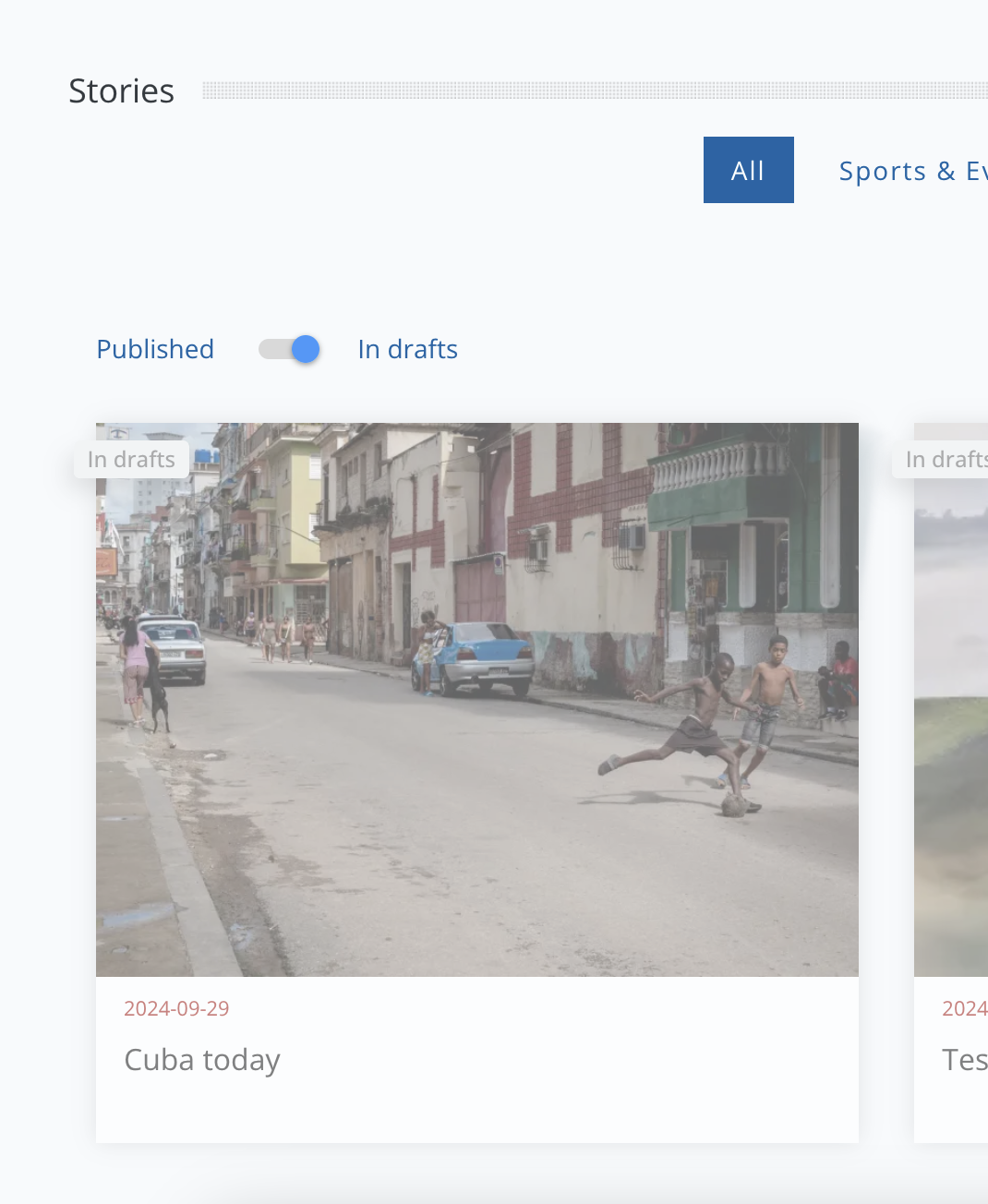
Open the desired story, without editing it (this will change the hash), and copy the link to share with another user.
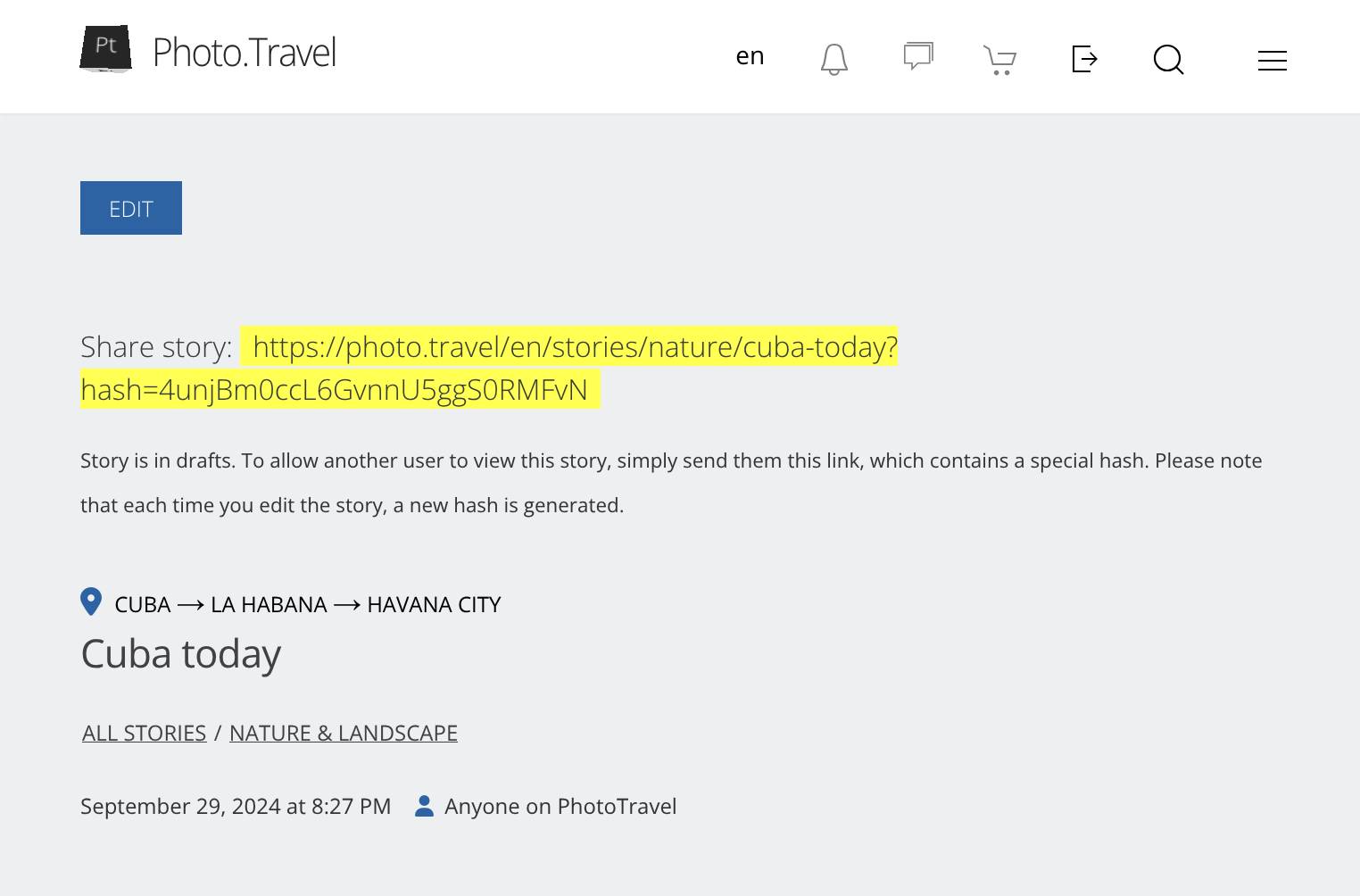
Each time a story is edited and saved as a draft again, a new hash is generated. When the story is published or submitted for moderation, the hash stops working – it only provides access to stories in drafts.